
CodiMD Real Time Collaborative Markdown Editor
CodiMD is an open source Markdown editor built for real-time collaboration, secure document sharing, live preview,w and full control through self-hosting for modern teams and developers.
10K+
Active Users
5K+
GitHub Stars
100%
Open Source
Powerful Real-Time Markdown Collaboration
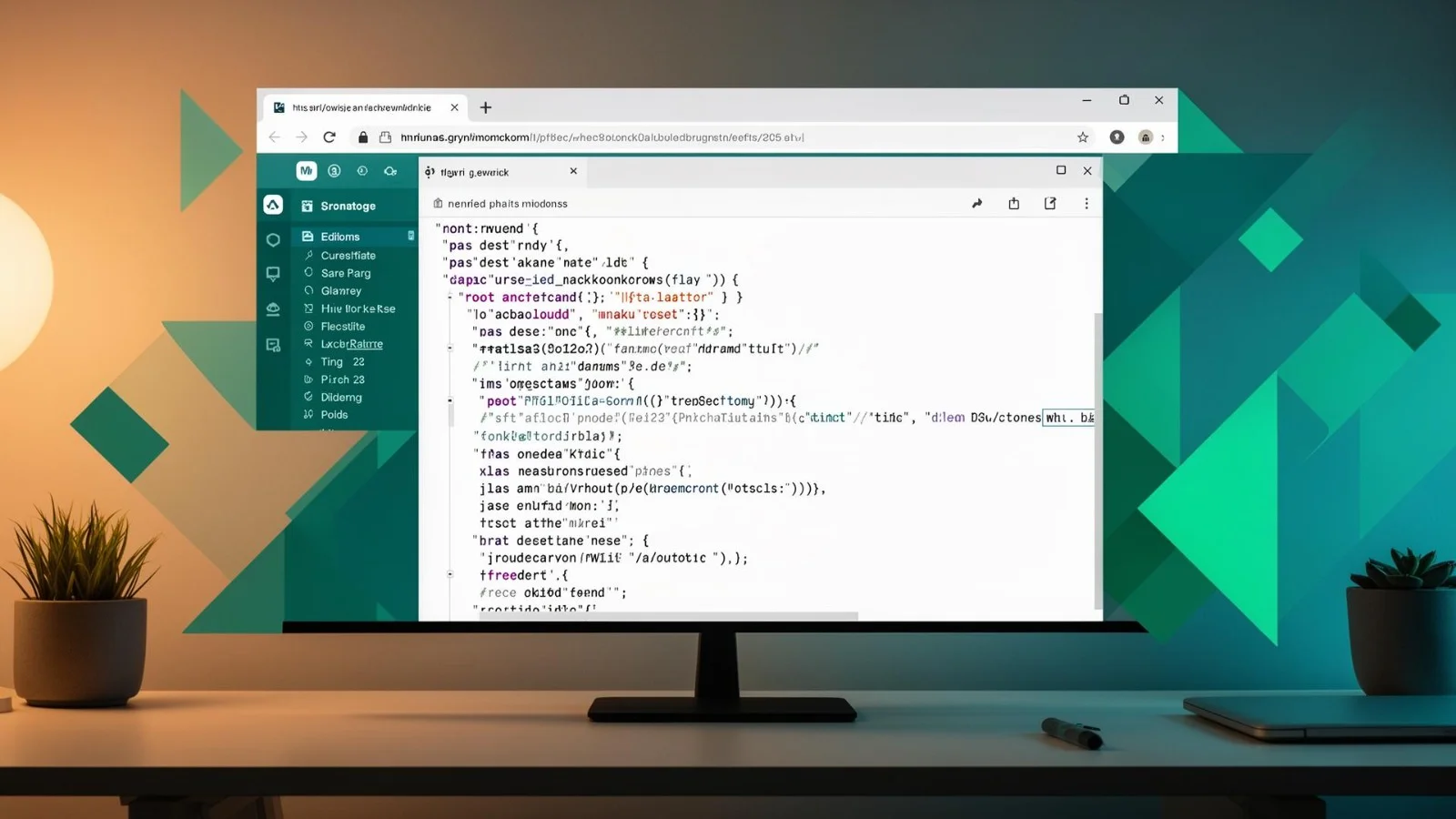
CodiMD is an open-source, web-based Markdown editor built for seamless real-time collaboration. It allows multiple users to edit the same document simultaneously, with changes appearing instantly for everyone involved. This makes it an ideal solution for teams that need speed, accuracy, and transparency while working on shared content.
The platform combines a clean Markdown writing interface with live preview functionality, so users can see formatted output as they type. It also includes version tracking, enabling teams to review edits, restore previous versions, and maintain full control over document history. With flexible deployment options — including self-hosting — organizations can manage their data securely while customizing the environment to meet specific workflow requirements.
Whether used for documentation, planning, note-taking, or collaborative writing, the system provides a lightweight yet powerful workspace designed to improve productivity and streamline communication.
Markdown Syntax
Full Support
Collaboration
Real-Time
Hosting
Self-Hosted
License
AGPL-3.0
Core Features of CodiMD
Discover the powerful features that make CodiMD the preferred collaborative markdown editor for developers, writers, and teams worldwide.
Real-Time Collaborative Editing
CodiMD allows multiple users to edit the same document simultaneously with instant synchronization. It streamlines teamwork by removing version conflicts and enabling smooth, uninterrupted collaboration across distributed environments.
Seamless Team Collaboration
- Multiple users can edit documents at the same time
- Instant updates without manual refresh
- Visible cursors for active collaborators
- Eliminates file merging conflicts
- Supports remote and distributed teams
Live Markdown Preview
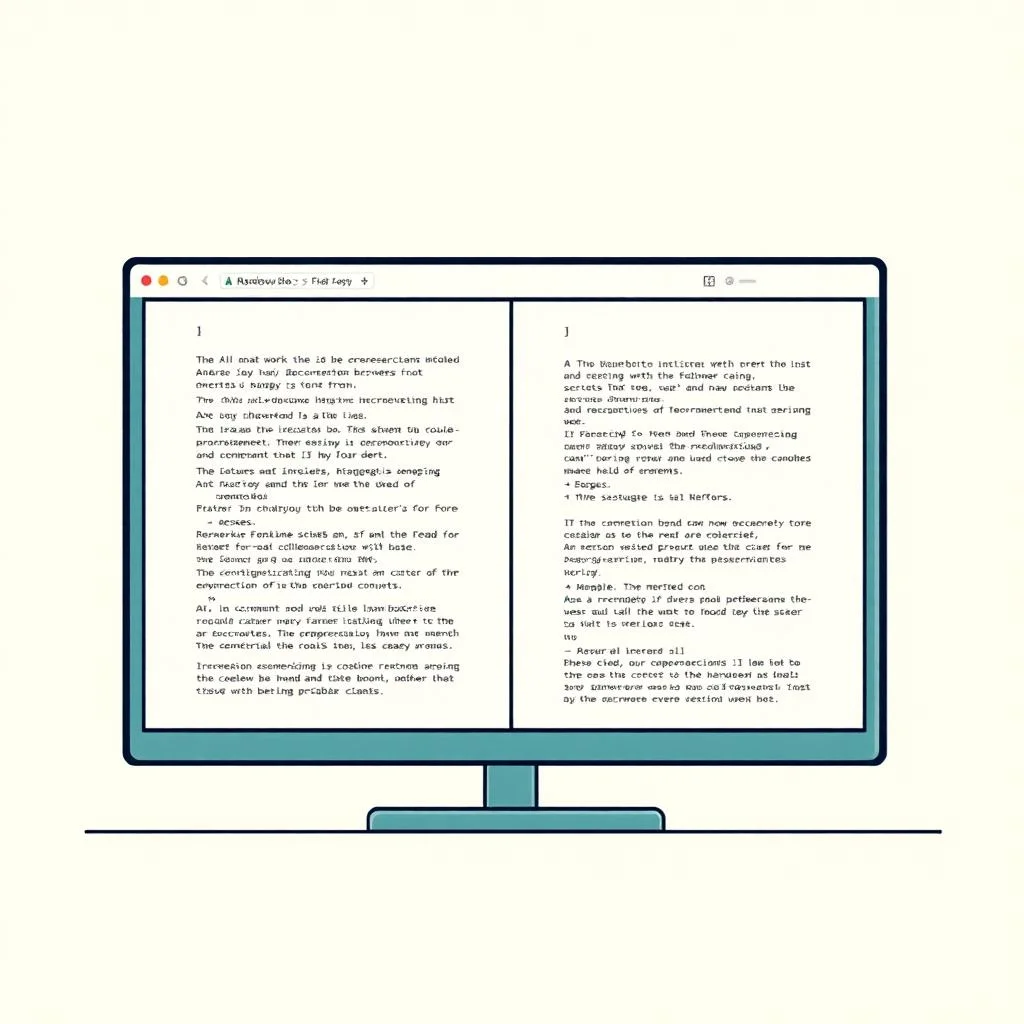
CodiMD provides a split-screen Markdown editor with real-time preview functionality. Writers can instantly view formatted output while typing, ensuring accuracy, clarity, and well-structured documentation.
Accurate and Efficient Formatting
- Real-time side-by-side preview
- Supports tables, lists, and code blocks
- Automatic Markdown rendering
- Clean and distraction-free interface
- Enhances documentation productivity

Secure Sharing & Permissions
CodiMD offers flexible access controls that allow teams to securely share and manage documents. It ensures privacy and structured permission settings for professional environments.
Controlled and Secure Access
- Share via secure unique links
- Read-only or editing permissions
- Password protection options
- Restrict access to authorized users
- Suitable for internal documentation

Self-Hosting Support
CodiMD can be deployed on private servers or cloud infrastructure, giving organizations complete ownership and control over their data and configuration.
Complete Data Ownership
- Deploy on private infrastructure
- Maintain full control over data
- Custom configuration support
- Integration with internal systems
- No third-party hosting dependency
Version History & Revision Control
CodiMD automatically tracks changes and stores revision history, allowing users to review edits and restore previous versions when needed.
Reliable Document Tracking
- Automatic revision saving
- Detailed edit history view
- Restore previous versions easily
- Monitor collaborative contributions
- Reduces risk of data loss

Export & Integration Options
CodiMD supports multiple export formats and integration capabilities, enabling seamless sharing and compatibility across platforms.
Flexible Output and Compatibility
- Export documents as PDF
- Download content in HTML format
- Save notes in Markdown format
- Embed content into other platforms
- Supports API-based integrations
How CodiMD Works
CodiMD works on a real-time synchronization model that allows multiple users to create, edit, and manage Markdown documents together in a shared workspace. It combines live editing, instant preview rendering, and secure link-based sharing to streamline collaboration without a complex setup. Whether deployed on a public instance or self-hosted on a private server, CodiMD ensures smooth document collaboration with full control over access and version management.
Create a Collaborative Note Instantly
Getting started with CodiMD is simple. Users can create a new note within seconds — no lengthy configuration required. Each note generates a unique URL, making it easy to share with team members. The interface is designed for efficiency, offering a clean editor on one side and a formatted preview on the other. This allows users to focus on writing while seeing the final output in real time.
Real-Time Multi-User Editing
CodiMD uses real-time synchronization technology to allow multiple users to edit the same document simultaneously. As changes are made, updates appear instantly for all collaborators. This eliminates version conflicts, reduces back-and-forth revisions, and ensures everyone is working on the most up-to-date document. Cursor indicators and live updates make collaboration smooth and transparent.
Live Markdown Rendering
The platform automatically converts Markdown syntax into formatted content as you type. Headings, lists, code blocks, tables, and links are rendered immediately in the preview panel. This split-view editing system helps writers and developers verify formatting accuracy without switching screens or refreshing the page.
Secure Sharing & Permission Control
CodiMD allows users to control who can view or edit a document. Notes can be shared publicly, restricted to specific users, or kept entirely private, depending on the deployment setup. For organizations that prioritize privacy, self-hosting ensures complete ownership of data and access control.
Version Tracking & Document History
Every change made to a note is automatically saved. CodiMD maintains a revision history, allowing users to review past edits and restore earlier versions if needed. This feature is especially useful for technical documentation, meeting notes, and collaborative drafts where tracking progress matters.
Flexible Deployment Options
CodiMD supports both public hosting and private server deployment. Teams can install it on their own infrastructure for enhanced security and customization. This flexibility makes it suitable for startups, enterprises, educational institutions, and developer communities alike.
Export & Integration Capabilities
Once a document is complete, it can be exported in multiple formats such as Markdown, PDF, or HTML. This ensures compatibility with other tools and platforms. CodiMD can also integrate into existing workflows, making it easy to incorporate into documentation systems, knowledge bases, or internal collaboration tools.
Who Uses CodiMD?
CodiMD supports a wide spectrum of professionals and teams who require secure, real-time collaboration with complete control over their content. Its flexibility and Markdown-first approach make it suitable for both technical and non-technical workflows.
Developer Documentation
Engineering teams rely on CodiMD to produce and manage technical documentation, API guides, release notes, and code examples. Built around Markdown, it aligns naturally with developer workflows, enabling seamless collaboration without disrupting productivity.
Academic & Research Collaboration
Students, educators, and researchers use CodiMD for shared note-taking, collaborative assignments, and academic writing. With LaTeX support and real-time editing, it simplifies the process of drafting research papers and distributing study materials efficiently.
Enterprise Knowledge Management
Organizations leverage CodiMD as an internal knowledge hub or private wiki. Teams can document processes, policies, and project insights in a centralized space that updates instantly, ensuring information stays accurate and accessible.
Content Creation & Publishing
Writers and content creators draft blog posts, articles, and digital publications using Markdown. The live preview and flexible export options allow users to refine formatting and publish ready-to-use content across multiple platforms with ease.
Why Teams Prefer CodiMD
Choosing the right collaborative editor is critical for productivity, security, and scalability. CodiMD stands out as a reliable, open, and developer-focused solution designed to meet the needs of modern teams. Here’s why organizations continue to prefer it:
Open-Source and Fully Customizable
CodiMD is built on an open-source foundation, giving teams complete transparency and control over how the platform operates. Unlike closed systems, it allows developers to modify features, enhance functionality, and tailor the editor to specific workflows. Whether you want custom themes, extended capabilities, or deeper backend adjustments, the flexibility of open-source ensures your collaboration environment evolves with your needs.
Built for Developers
CodiMD is designed with a developer-first mindset. It supports Markdown natively, making it ideal for technical documentation, code snippets, API references, and structured notes. Its clean interface, keyboard-friendly editing, and real-time preview create a seamless writing experience that aligns perfectly with development workflows. Teams can focus on content without distractions.
Seamless Integrations and Plugin Support
Modern teams rely on connected tools, and CodiMD adapts easily to existing ecosystems. It supports integrations and extensibility, allowing organizations to connect it with authentication systems, version control platforms, and collaboration tools. This adaptability ensures that CodiMD fits into your workflow instead of forcing you to change it.
Lightweight and High Performance
Speed matters in real-time collaboration. CodiMD is engineered to remain responsive and efficient, even with multiple users editing simultaneously. Its lightweight architecture reduces server load and ensures quick document rendering, delivering a smooth experience without unnecessary complexity.
Complete Data Ownership with Self-Hosting
Privacy and control are major priorities for modern organizations. With self-hosting capabilities, CodiMD allows you to run the platform on your own infrastructure.
This means:
Full control over sensitive information
Compliance with internal security policies
No dependency on third-party cloud storage
Greater long-term cost efficiency
Your data stays where you want it — fully secure and under your management.
50K+
Active Users Worldwide
10M+
Documents Created
99.9%
Uptime Guarantee
100+
Supported Languages
CodiMD vs Alternatives
See how CodiMD compares to other popular document editors and collaboration tools.
| Feature | CodiMD | Google Docs | Notion | HackMD |
|---|---|---|---|---|
| Open Source | ✔ | ✖ | ✖ | ✖ |
| Self-Hosted Option | ✔ | ✖ | ✖ | ✖ |
| Real-Time Collaboration | ✔ | ✔ | ✔ | ✔ |
| Markdown Native | ✔ | ✖ | ✖ | ✔ |
| LaTeX Math Support | ✔ | ✖ | ✔ | ✔ |
| Full Data Ownership | ✔ | ✖ | ✖ | ✖ |
| Free Forever | ✔ | ✔ | ✖ | ✖ |
| Diagram Support | ✔ | ✖ | ✖ | ✔ |
Configuration & Customization
CodiMD is designed to be highly flexible, allowing teams to tailor the platform according to their infrastructure, security policies, and collaboration needs. Below is a professional breakdown you can use on your homepage:
Flexible Networking Controls
Configure how your instance connects and communicates within your environment.
Custom host and port settings
Reverse proxy support (NGINX, Apache)
HTTPS and SSL configuration
Domain-based access management
Proxy and firewall compatibility
This ensures smooth deployment whether you’re hosting locally, on a VPS, or in the cloud.
Advanced Security Settings
Security is critical for collaborative platforms. CodiMD allows administrators to control:
Session management
Content access restrictions
Rate limiting
Secure headers configuration
HTTPS enforcement
These options help protect sensitive documentation and team collaboration data.
Authentication Methods
CodiMD supports multiple authentication strategies to match your organization’s workflow:
Local account login
OAuth integrations
LDAP support
Third-party identity providers
This makes it easy to integrate with existing user management systems.
Image Storage Options
Manage how and where your images are stored:
Local server storage
External object storage services
Configurable upload limits
Privacy control over media files
You can optimize storage based on performance, scalability, and compliance needs.
Performance Optimization
To ensure smooth real-time collaboration, administrators can configure:
Database connection settings
Caching behavior
Resource allocation
Load balancing support
Scaling options for high-traffic environments
This keeps your instance stable even with multiple simultaneous users.
Privacy & Access Control
Maintain full control over your collaborative space:
Public vs private notes
Permission-based sharing
Restricted viewing modes
Control over anonymous editing
These settings make CodiMD suitable for both open communities and private internal teams.
CodiMD Works With Your Favorite Tools
Connect CodiMD with popular authentication providers, databases, and storage solutions.
GitHub
Authentication
GitLab
Authentication
LDAP
Authentication
SAML
Authentication
OAuth2
Authentication
PostgreSQL
Database
MySQL
Database
SQLite
Database
S3
Storage
Minio
Storage
Imgur
Storage
Docker
Deployment
Get Started with CodiMD Today
Deploy your own CodiMD instance in minutes. Choose the installation method that works best for your environment.
Performance Optimization
docker-compose up -d
The fastest way to get CodiMD running. Requires Docker and Docker Compose installed on your server.
Manual Setup
npm install && npm start
Install CodiMD directly using Node.js for more control over the configuration and deployment.
Cloud Deployment
Deploy to AWS/GCP/Azure
Use cloud provider templates to deploy CodiMD with auto-scaling and managed databases.
What Users Say About CodiMD
Teams and individuals around the world trust CodiMD for their collaborative writing needs.
“CodiMD transformed how our engineering team writes documentation. The real-time collaboration combined with Markdown support is exactly what we needed.”
Alex Chen
Senior Developer at TechCorp
“I use CodiMD in my classroom for collaborative note-taking. Students love the simplicity of Markdown and the ability to work together on study materials.”
Sarah Mitchell
University Professor
“As someone who writes technical content daily, CodiMD is indispensable. The self-hosted aspect means I have complete control over my documents and data.”
David Park
Technical Writer
Frequently Asked Questions About CodiMD
Everything you need to know about CodiMD
What is CodiMD?
CodiMD is an open-source, real-time collaborative Markdown editor that allows multiple users to create and edit documents simultaneously.
Is CodiMD free to use?
Yes, CodiMD is open-source software and can be used for free. You can deploy it on your own server without licensing costs.
What is CodiMD mainly used for?
It is commonly used for collaborative documentation, meeting notes, technical writing, project planning, and team knowledge sharing.
Does CodiMD support real-time collaboration?
Yes, multiple users can edit the same document at the same time with live updates.
Is CodiMD suitable for development teams?
Absolutely. It is especially popular among developers because of its native Markdown support and clean editing interface.
Can non-technical users use CodiMD?
Yes. While it is developer-friendly, its simple interface makes it accessible for students, writers, and business teams as well.
Does CodiMD offer live preview for Markdown?
Yes, it provides a split-screen live preview so users can see formatted content as they type.
Can documents be shared easily?
Yes, notes can be shared through secure links, and permissions can be managed depending on configuration.
Does CodiMD support exporting files?
Yes, documents can typically be exported in formats like PDF, HTML, or Markdown.
Is CodiMD secure?
Security depends on your deployment setup. When self-hosted, you have full control over access, authentication, and data protection.
Can CodiMD be self-hosted?
Yes, CodiMD is designed to be deployed on your own server, giving you complete control over your data.
What are the system requirements for CodiMD?
It typically runs on a server environment with Node.js and a database such as PostgreSQL or MySQL.
Does CodiMD support authentication systems?
Yes, it can integrate with various authentication methods depending on configuration.
Can I customize CodiMD?
Yes, being open-source allows developers to modify features, adjust themes, and extend functionality.
Does CodiMD support plugins or integrations?
Yes, it can be extended and integrated with other tools to fit into your existing workflow.
Is CodiMD scalable for large teams?
Yes, with proper server configuration, it can support teams of different sizes.
Does it maintain version history?
Yes, CodiMD tracks document changes, allowing users to review or restore previous versions.
Can CodiMD be used for educational purposes?
Yes, it is widely used in classrooms for collaborative assignments and shared note-taking.
Is CodiMD cloud-based?
CodiMD itself is self-hosted software, but organizations can deploy it on cloud infrastructure if desired.
How does CodiMD compare to other Markdown editors?
CodiMD stands out for its real-time collaboration, open-source flexibility, self-hosting capability, and developer-oriented design.
CodiMD – Real-Time Collaborative Markdown Editor for Teams

CodiMD lets teams create, edit, and share markdown documents in real-time. Perfect for notes, documentation, wikis, and collaborative writing.
Price: Free
Price Currency: $
Operating System: Windows
Application Category: Software
4.6