
When it comes to collaborative writing and note-taking, many users wonder, what is the difference between CodiMD and other Markdown editors. Unlike traditional Markdown editors that focus primarily on individual use, CodiMD is designed for real-time collaboration, allowing multiple users to edit the same document simultaneously. Its interface is intuitive, offering live previews, easy formatting, and seamless integration with team workflows. This makes CodiMD not just a Markdown editor, but a powerful platform for teamwork and knowledge sharing.
Moreover, CodiMD stands out because it supports exporting in multiple formats, including PDF, HTML, and slides. While other Markdown editors may lack collaborative features or require third-party tools for sharing, CodiMD ensures that content creation is interactive, efficient, and accessible to everyone on the team. Understanding what is the difference between CodiMD and other Markdown editors highlights why many organizations choose it as their go-to Markdown solution.
Real-Time Collaboration
Real-time collaboration refers to the ability of multiple users to work together simultaneously on a single project, document, or platform, regardless of their physical location. Unlike traditional collaboration, where updates are shared periodically, real-time collaboration ensures that all participants see changes instantly as they occur. This approach enhances productivity, reduces miscommunication, and allows teams to respond quickly to challenges or feedback. Modern tools supporting real-time collaboration often integrate cloud technology, enabling seamless access across devices.
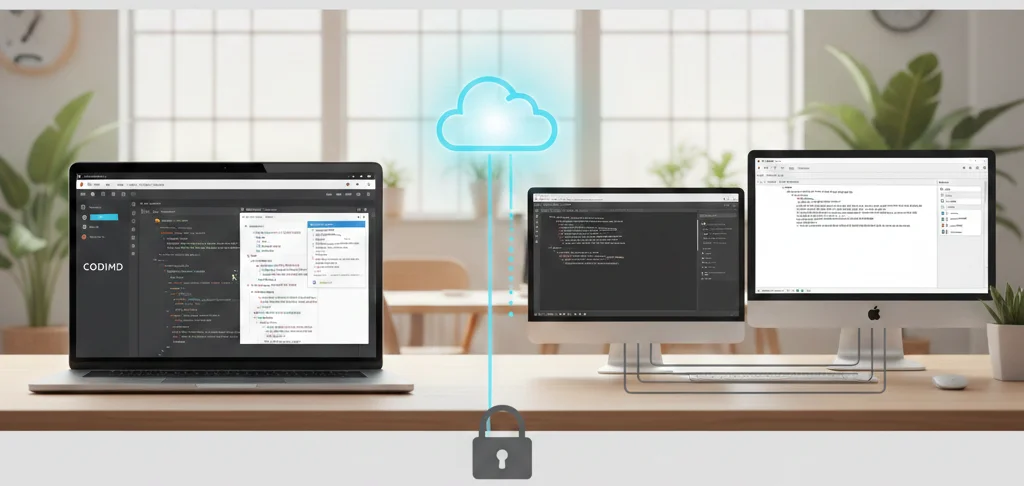
Key Features of Real-Time Collaboration
Real-time collaboration platforms typically include features such as live editing, instant commenting, and activity tracking. Live editing allows multiple users to modify content simultaneously without overwriting each other’s work. Commenting and chat tools facilitate instant feedback and discussions, reducing the need for separate communication channels. Version control ensures that changes are tracked, and any errors can be easily reverted. Together, these features streamline the workflow, making collaboration faster, more efficient, and more transparent.
Benefits for Teams and Organizations
The primary benefits of real-time collaboration include improved efficiency, faster decision-making, and enhanced team cohesion. Teams can work on projects concurrently, reducing the delays caused by sequential edits. Immediate feedback helps resolve issues promptly, minimizing bottlenecks. Additionally, real-time collaboration fosters a sense of accountability and transparency, as every participant can see updates and contributions in real-time. Organizations adopting these practices often experience higher productivity, better project outcomes, and a stronger culture of teamwork.
Applications Across Different Industries
Real-time collaboration is widely used in diverse sectors such as education, software development, marketing, and corporate environments. In education, students and teachers can work on shared documents or projects simultaneously, facilitating interactive learning. In software development, developers can code together on shared platforms, quickly reviewing and debugging issues. Marketing teams can collaboratively design campaigns, share assets, and track progress instantly. This technology enables businesses to overcome geographical limitations and operate more dynamically in a fast-paced world.
Challenges and Best Practices
Despite its advantages, real-time collaboration comes with challenges such as data security, connectivity issues, and version conflicts. Ensuring secure access through proper authentication and encryption is critical, especially when dealing with sensitive information. Stable internet connectivity is essential to avoid disruptions in live editing sessions. To maximize effectiveness, teams should establish clear guidelines for collaboration, define roles, and maintain organized workflows. By addressing these challenges proactively, organizations can fully leverage the power of real-time collaboration to drive innovation and efficiency.
Web-Based Platform
Definition of a Web-Based Platform
A web-based platform is a software application that operates entirely through a web browser, without requiring installation on a local device. Users can access the platform from any device with internet connectivity, making it highly convenient and scalable. Unlike traditional desktop applications, web-based platforms leverage cloud infrastructure, enabling centralized management, updates, and security protocols. They are designed to serve multiple users simultaneously, often supporting collaboration, data sharing, and real-time communication across locations.
Key Features of Web-Based Platforms
Web-based platforms typically include features such as cross-device accessibility, real-time updates, and integration with other online services. They rely on web technologies like HTML, CSS, and JavaScript for user interfaces, while backend servers handle data storage and processing. These platforms often offer customization options, user authentication, and analytics capabilities. Scalability is a major advantage, allowing organizations to expand usage without complex local installations, while automatic updates ensure that all users have access to the latest features without manual intervention.
Advantages for Businesses and Users
Businesses and individuals benefit from web-based platforms in several ways. First, they reduce the need for IT infrastructure and maintenance costs. Second, they facilitate remote work and global collaboration, as employees or clients can access the platform from anywhere. Third, they improve workflow efficiency by centralizing data and providing collaborative tools. Users also enjoy seamless updates, easy access across devices, and consistent experiences without worrying about compatibility issues between operating systems or hardware.
Security and Reliability Considerations
Security is a critical factor in web-based platforms, as data is transmitted over the internet and stored on remote servers. Effective platforms implement encryption, access control, and regular backups to protect sensitive information. Reliability is achieved through robust server infrastructure, load balancing, and redundant systems to minimize downtime. Businesses must choose platforms with strong security certifications and compliance with privacy regulations to ensure both operational continuity and data protection.
Examples and Applications
Web-based platforms are widely used across industries for diverse purposes. Examples include project management tools, online banking systems, e-learning portals, social media platforms, and enterprise resource planning (ERP) software. They are particularly valuable for collaboration, customer relationship management, and content delivery, where multiple users interact in real time. As cloud technology continues to evolve, web-based platforms are increasingly sophisticated, offering features that rival traditional desktop applications in performance and functionality.
Instant Preview
Instant Preview is a feature designed to provide real-time feedback as users make changes to content, designs, or documents. Unlike traditional workflows, which require saving and refreshing to see updates, Instant Preview allows immediate visualization of modifications. This capability enhances productivity, reduces errors, and helps users make informed decisions quickly. For professionals working in web development, content creation, or document editing, Instant Preview serves as an indispensable tool for maintaining accuracy and efficiency.
How Instant Preview Works
The mechanism behind Instant Preview involves dynamically updating the display based on user input. As changes are made—whether adjusting text, formatting, or visual elements—the system automatically reflects these modifications without additional commands. This is achieved through a combination of software algorithms, rendering engines, and event-driven updates. The seamless nature of this process ensures that users can see exactly how their content will appear in its final form, bridging the gap between editing and output.
Benefits of Using Instant Preview
- Instant Preview offers multiple advantages for both beginners and experienced professionals:
- Time Efficiency: Eliminates the need for repetitive saving and previewing.
- Error Reduction: Allows immediate detection and correction of mistakes.
- Enhanced Creativity: Enables experimentation with designs or layouts without commitment.
- Improved Collaboration: Team members can review changes in real-time, facilitating faster feedback.
User Confidence: Seeing changes instantly provides reassurance that the work aligns with intended outcomes.
Applications Across Different Platforms
Instant Preview is widely used across various domains. In web development, it allows developers to instantly view changes in HTML, CSS, and design layouts. In content management systems and note-taking apps, users can immediately see how formatting, images, or links appear. Graphic design software uses it to provide a live view of adjustments to colors, typography, or effects. Its versatility ensures that professionals across multiple industries can benefit from immediate feedback during their workflow.
Tips for Maximizing Instant Preview Efficiency
To get the most out of Instant Preview, users should:
- Maintain organized content to avoid confusion when changes appear in real-time.
- Use preview-friendly tools that support responsive updates.
- Regularly save work despite instant updates to prevent data loss.
- Test across devices to ensure consistency, especially in web and app design.
- Integrate with collaboration platforms so team members can monitor changes simultaneously.
By leveraging Instant Preview effectively, professionals can streamline workflows, reduce errors, and enhance the overall quality of their work.
Open Source vs Proprietary
Software licensing determines how software can be used, modified, and distributed. The two primary types of software licenses are open source and proprietary. Open source software provides access to its source code, allowing users to view, modify, and share it freely. Proprietary software, on the other hand, restricts access to its source code and is owned by an individual or company, limiting user rights to usage under specific terms. Understanding these differences is critical for businesses, developers, and end-users when selecting software solutions.
Open Source Software
Open source software is designed to promote collaboration, transparency, and innovation. Its source code is publicly available, enabling developers to customize it according to their needs. Popular examples include Linux, Apache, and Mozilla Firefox. Benefits of open source software include cost savings, flexibility, and strong community support. Users can contribute to improvements, fix bugs, and ensure software security. However, open source software may require technical knowledge to implement effectively, and support may rely on community contributions rather than dedicated customer service.
Proprietary Software
Proprietary software is developed and controlled by a company or individual, who retains all rights to its code. Users purchase licenses to use the software, but cannot legally modify or distribute it. Examples include Microsoft Windows, Adobe Photoshop, and Apple iOS. Proprietary software often comes with dedicated technical support, regular updates, and comprehensive documentation. Its development is guided by company priorities rather than community contributions, which can provide a more stable and polished user experience. However, it may involve higher costs and less flexibility compared to open source alternatives.
Key Differences Between Open Source and Proprietary Software
The main distinctions between open source and proprietary software lie in accessibility, cost, flexibility, and support. Open source allows free access to the code, while proprietary restricts it. Open source can reduce licensing costs and offer customization, whereas proprietary provides a more controlled and user-friendly experience with guaranteed vendor support. Security approaches differ as well: open source relies on community oversight, while proprietary depends on the vendor’s internal security protocols. Choosing between the two depends on the organization’s goals, technical capacity, budget, and risk tolerance.
Choosing the Right Software Model
Selecting between open source and proprietary software requires careful consideration of business needs, technical resources, and long-term strategy. Open source may be ideal for organizations seeking flexibility, cost savings, and innovation opportunities. Proprietary software is suitable for those prioritizing reliability, dedicated support, and a user-friendly interface. Many organizations adopt a hybrid approach, integrating open source components within proprietary systems to balance flexibility with stability. Evaluating software in terms of licensing, security, maintenance, and scalability ensures the chosen solution aligns with organizational objectives.
Integration with Authentication Systems
Understanding Authentication Integration
Integration with authentication systems refers to the process of connecting a software application with existing security frameworks to verify the identity of users. This ensures that only authorized individuals can access specific resources, features, or data within the application. Authentication systems can range from simple username-password setups to more advanced mechanisms such as Single Sign-On (SSO), multi-factor authentication (MFA), or OAuth-based services. By integrating these systems, applications enhance security, streamline user access, and maintain compliance with organizational policies.
Types of Authentication Systems
There are several types of authentication systems that applications can integrate with:
- Basic Authentication: Traditional username and password verification.
- Token-based Authentication: Uses tokens, such as JWT (JSON Web Tokens), to validate sessions without transmitting passwords repeatedly.
- Single Sign-On (SSO): Allows users to log in once and gain access to multiple applications across the organization.
- Multi-Factor Authentication (MFA): Adds additional layers of security by requiring extra verification steps, such as OTPs or biometrics.
- Third-Party OAuth Providers: Enables users to log in using services like Google, Microsoft, or social media accounts.
Integration must consider the system type to ensure seamless and secure user experiences.
Benefits of Integration
Integrating authentication systems offers multiple benefits:
- Enhanced Security: Reduces unauthorized access and potential data breaches.
- User Convenience: Eliminates the need to remember multiple credentials.
- Centralized Management: Simplifies administration by managing users from a single identity provider.
- Regulatory Compliance: Helps organizations meet industry standards such as GDPR, HIPAA, or ISO 27001.
- Scalability: Supports growing user bases without compromising security or performance.
- By leveraging existing authentication frameworks, businesses can create a secure, user-friendly environment.
Integration Challenges and Considerations
While integrating authentication systems is beneficial, it comes with certain challenges:
- Compatibility Issues: Ensuring the application can communicate with different authentication protocols.
- User Data Privacy: Handling sensitive information securely to prevent leaks or breaches.
- Session Management: Maintaining active sessions without creating vulnerabilities.
- Performance Overhead: Balancing security checks with application responsiveness.
- Error Handling and Recovery: Ensuring smooth recovery from failed login attempts or system outages.
Planning and thorough testing are crucial to overcome these challenges effectively.
Best Practices for Integration
To maximize security and usability, follow these best practices:
- Use standardized protocols such as OAuth 2.0, SAML, or OpenID Connect for interoperability.
- Enforce strong password policies and enable multi-factor authentication wherever possible.
- Regularly audit and update authentication configurations to mitigate emerging threats.
- Maintain detailed logging of authentication attempts for monitoring and compliance purposes.
- Provide clear communication and support for users during the login process to reduce friction and confusion.
Adhering to these best practices ensures the integration is secure, reliable, and user-centric.
Conclusion
CodiMD stands out from other Markdown editors by offering real-time collaborative editing, cloud-based accessibility, and seamless integration with team workflows. Unlike standard Markdown tools, it emphasizes multi-user interaction, live previews, and instant synchronization, making it ideal for group documentation and brainstorming sessions. While traditional editors focus on individual note-taking, CodiMD combines simplicity with collaboration, enhancing productivity and streamlining communication for teams of all sizes.